


Smart Caddie: Golf GPS
3.8361.00 Reviews
App Specs
- Version
- 5.0.18
- Updated On
- License
- Free
- Downloads
- 1,000,000+
- Developer
- GOLFZON CLOUD
- Categories
- Sports
- Platform
- Android, iOS
Screenshots
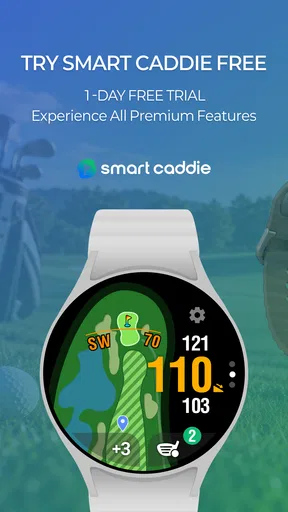
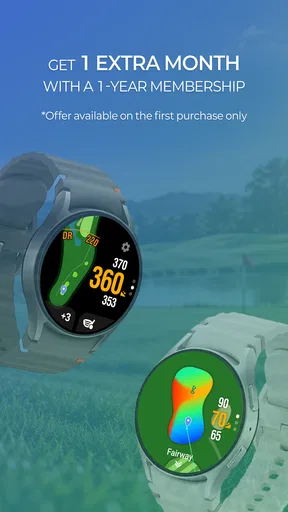
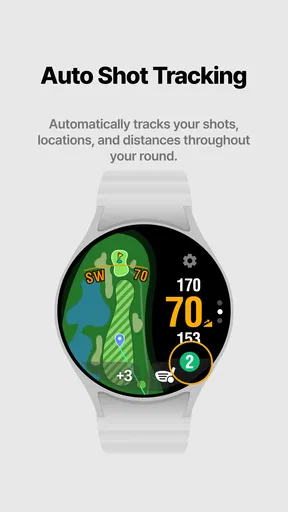
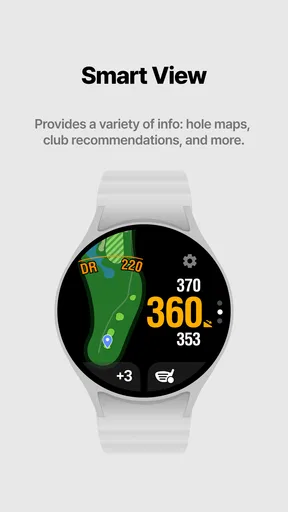
 Analysis by AppCompare
I judge a golf GPS app less by how many numbers it can put on a screen than by whether I can get the information I need without breaking the rhythm of a round. That makes connectivity part of the experience, not just a technical detail: a course tool needs to be useful while I’m moving, checking a target, and trying to get ready for the next shot. Smart Caddie: Golf GPS is built around that on-course role, and its appeal is clearest when I treat it as a practical companion rather than a substitute for my own decisions.
Where a connection matters most
Golf often takes me away from the places where my phone has its best signal. Before I head out, I’d make a point of opening the app and checking that I can get into the parts I expect to use, rather than waiting until I’m standing on the first tee. This is a simple habit, but it can prevent a frustrating start if a sign-in or course-related step needs attention.
The distinction between preparing at home and using the app during a round is useful. A phone may have a strong connection in the clubhouse and a weaker one farther across the course, so I wouldn’t rely on last-minute loading as part of my routine. I’d also avoid assuming that every screen behaves the same way when coverage changes. The sensible approach is to check the app in advance and keep a familiar fallback, such as course signage or a rangefinder, for moments when a screen isn’t ready.
Made for moving between shots
On the course, I want to glance at a distance, make a decision, and put my phone away. A golf GPS app has to fit that sequence; otherwise, even useful information becomes a distraction. Smart Caddie’s focus on yardages, shot records, and scorekeeping makes it suited to golfers who want those tasks gathered in one place instead of alternating between a separate GPS tool, a notes app, and a scorecard.
That convenience depends on how you carry and handle your phone. If you keep it in a bag pocket, retrieving it for every shot can slow down play; if it stays in a pocket, you may be less inclined to check it when you’re walking with a group. I’d decide before the round how I want to use it, and reserve phone checks for decisions that benefit from a closer look. The app should support attention to the course, not compete with it.
What I’d do when something stalls
If the app takes longer than expected to show information, I wouldn’t keep tapping through screens while other golfers are waiting. I’d step aside, check whether the phone has a usable connection and location access, and try again when there’s time. For a shot that needs an immediate decision, a visible course marker or a rangefinder is a better backup than troubleshooting on the spot.
It also helps to separate a GPS problem from a connection problem. Location readings can be affected by where the phone is held or by the surroundings, while loading or account-related delays can point to a different issue. I’d first give the phone a clear view of the sky and allow a moment for its position to settle; if the issue seems tied to loading, I’d check the connection later rather than assume the distance itself is wrong. This cautious habit matters because a confident-looking number is only helpful when it makes sense beside the course in front of me.
Worth Reading Before You Choose

Baby Panda World Brings Quick Play to Modern Phones, but Its Game Library Feels Busy

ESPN’s Live Game View Makes Following Close Games Easier

QuizzLand Review: A Good Fit for Short Trivia Breaks, Not Every Player

Basketball Stars: Multiplayer Is Fast, but Can It Recover When Matches Go Wrong?

WEBTOON Turns Phone Updates Into a Better Reading Routine

Link to Windows Runs on Shared Habits, Not Social Feeds
Use the phone thoughtfully
Location use is central to a golf GPS tool, so I’d expect to allow it when using on-course positioning. I’d review the phone’s location controls before playing and choose the setting that lets the app work as intended without granting more access than I’m comfortable with. Keeping the screen on for repeated checks and using GPS can also affect battery use, so beginning the round with a well-charged phone is a straightforward precaution.
There’s a trade-off between carrying a phone-based tool and using a dedicated golf device. A phone makes it easier to combine course information with scoring, but it also means sharing battery and screen time with calls, messages, and other apps. If I’m playing a long day or want to minimize phone handling, a dedicated GPS unit may suit me better. If I already bring my phone and value having golf information together, an app is the more convenient choice.
Getting Started with Smart Caddie: Golf GPS
Downloading the app was a breeze. Available for both Android and iOS, it’s just a quick tap away on your favorite app store. Once installed, the setup process is straightforward. You’ll need to grant location access because, duh, it’s a GPS app. After a brief sign-up, you're ready to hit the green.
What struck me first was the clean, intuitive interface. No clutter, just pure functionality. It’s obvious the developers put a lot of thought into making sure even a newbie feels at home. I appreciated the simple tutorial that walks you through the main features without bogging you down with jargon.
Features That Stand Out
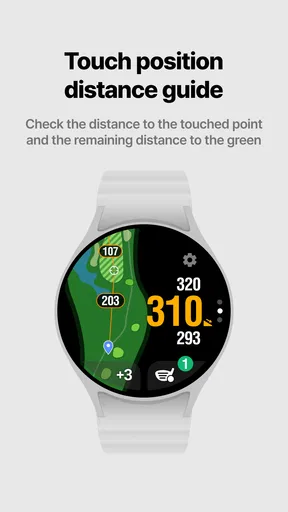
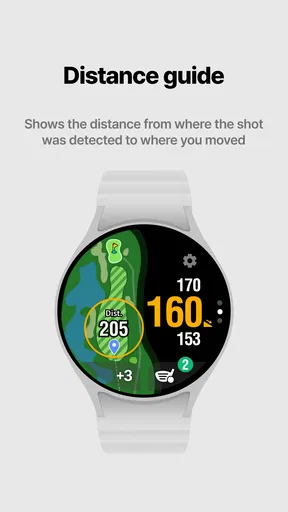
Here’s where Smart Caddie: Golf GPS really shines. The app boasts an impressive database of courses. Whether you're playing at your local club or traveling across the country, chances are, Smart Caddie has you covered. The GPS is spot-on, providing accurate yardages to the front, middle, and back of the green. You get detailed information about hazards, layups, and doglegs, helping you plan each shot strategically.
I was particularly impressed by the shot tracking feature. You can log each of your strokes and even see your progress over time. It’s like having a personal coach analyzing your game, helping you improve by identifying patterns and weaknesses.
Another cool feature is the real-time weather updates. You’ll get instant notifications about wind speed, direction, and other weather conditions that could affect your game. It’s these small details that make the app feel truly comprehensive.
User Experience on the Course
Using the app during a round felt like a game-changer. The interface is designed to be used on the go, with large buttons and easy navigation. I rarely had to stop and fiddle with the settings, which is crucial when you’re trying to focus on your swing.
The live scorekeeping feature was a hit among my friends. We could keep track of each other’s scores in real-time, which added a fun, competitive edge to our game. Plus, the ability to review our scores and stats post-game offered plenty of fodder for friendly banter.
Battery Life Concerns?
One thing I was worried about was how the constant GPS usage might drain my phone’s battery. Thankfully, the app seems optimized for efficiency. A full round of golf didn’t leave me scrambling for a charger. However, it’s always wise to start with a full battery, just in case.
Choosing it for the right kind of round
For a regular weekend golfer, the main benefit is having distances, scores, and shot notes close at hand. I’d use it in a relaxed round where I have time to review a hole, record a shot, and look back afterward for patterns. A more useful habit than trying to log every detail perfectly is to record consistently: for example, note the shots that regularly leave me short or the holes where I make avoidable mistakes. A small, repeatable record is more valuable than an ambitious one I abandon halfway through.
It is less compelling for someone who wants a completely hands-off round. If I’m playing socially and don’t want a phone in my pocket, or if I prefer to judge every distance by sight, a paper card and course markers may feel more natural. Likewise, a golfer who already owns a dedicated GPS watch and is happy with its simpler glanceable display may not gain enough from adding another tool. The app makes the most sense when I want the phone itself to do several golf-related jobs.
A practical round-day routine
Picture arriving at a course for an afternoon game after work. I’d check the course and account setup before leaving, charge the phone, and confirm that location access is enabled. At the first tee, I’d use the app to orient myself and get comfortable with the display before the group is waiting. During play, I’d check a yardage when it could change my club choice, then put the phone away. After the round, I’d review the scores and shot history while the details are still fresh.
That routine also keeps the app from taking over the round. I wouldn’t record every practice swing or stop after every hole to study statistics. Instead, I’d choose one question to explore, such as whether my approach shots tend to leave a difficult next putt, and use the records to guide a later practice session. That turns tracking into a practical aid rather than another task I have to manage while playing.
Accuracy, course coverage, and sensible checks
Course maps and GPS distances are helpful, but I still treat them as aids to judgment. Pin positions change, and the best club depends on more than a number: wind, slope, lie, and the shot I’m comfortable making all matter. I’d compare the displayed yardage with visible markers when available, especially early in a round or at a course I haven’t played before. If something looks out of place, I’d trust the physical course and my own assessment rather than force a decision to match the screen.
When travelling, I’d check the course before making the app my only plan for navigation. A broad course database is convenient, but a golfer should still verify that the specific venue and layout are the right ones once there. Courses can have multiple loops or similar names, and choosing the wrong layout would make otherwise useful distances misleading. This quick check is especially worthwhile when playing as a guest, where I may not know the routing.
Scoring with friends without slowing play
Shared scorekeeping can make a casual match easier to follow, particularly when players are spread across a group and nobody wants to be the sole keeper of a paper card. I’d agree with my playing partners in advance on who is entering scores and when. Recording them at a natural pause, rather than after every stroke, keeps the group moving and reduces the chance of an accidental duplicate or missed entry.
Real-time score sharing is also best treated as a convenience, not the official source of truth. At the end of the round, I’d compare the totals with the group’s agreed scorecard before leaving. That modest check is worthwhile whenever multiple people are entering or reviewing scores, and it prevents a small tapping error from becoming the final record everyone remembers.
Costs and expectations
Smart Caddie is free to download, which makes it easy to try on a course before deciding whether it belongs in my regular routine. Optional in-app purchases range from $2.99 to $49.99 per item, so I’d look at what a particular purchase offers and whether I’d use it repeatedly before paying. I wouldn’t assume that every feature I want is included at no cost; the practical test is whether the free experience already covers the way I play.
The app is developed by GOLFZON CLOUD and sits in the sports category. It is rated for Everyone, with an average rating of 4.1 from around 14,000 ratings and more than 1 million installs. Those figures suggest that it has reached a substantial golf audience, but they don’t tell me whether its workflow will suit my habits. I’d use a round or two to judge that for myself rather than choosing it on popularity alone.
Who should leave it in the bag
I’d skip a phone-based golf companion if I’m trying to keep devices out of my round, if my phone battery is already unreliable, or if I find score entry more distracting than helpful. A basic scorecard and course signage are perfectly sensible alternatives for those situations. A dedicated golf GPS device can also be a better fit when I want a display that is always ready without unlocking and handling my phone.
On the other hand, a golfer who likes reviewing performance after play may appreciate combining shot tracking and scoring in one place. Beginners can use the yardages and course information to make more informed choices, while experienced players may value the convenience of recording rounds and comparing their own tendencies over time. Neither group needs to treat the app’s suggestions or numbers as commands; its best role is to make decisions easier to consider.
Wrapping Up
In the world of golfing apps, Smart Caddie: Golf GPS is a hole-in-one. It combines functionality with ease of use, making it a must-have for any golfer, whether you’re a weekend warrior or a seasoned pro. The app doesn’t just offer features; it enhances your game by providing insights and data that were previously reserved for professional caddies.
So, if you’re looking to up your golf game and want a reliable companion on the course, give Smart Caddie a swing. It might just become your new favorite golfing buddy. You can find it on the Google Play Store or the Apple App Store, ready to transform your golfing experience.
My connectivity verdict
For me, connectivity is a reason to prepare, not a reason to avoid the app. I’d open it before reaching the course, check the basics, and keep a simple backup for yardages and scoring in case the phone or signal lets me down. That approach makes it easier to enjoy the useful parts without expecting a mobile connection to behave perfectly across an entire round.
Overall, I’d recommend Smart Caddie to golfers who want a phone-based way to combine course guidance, shot records, and scorekeeping, and who are comfortable checking their setup before tee time. If you want a distraction-free device, prefer paper, or need a tool that never depends on handling a phone, another option will fit better. Used with sensible expectations, this is a practical golf companion rather than a replacement for course awareness or good judgment.
Pros
- Accurate GPS for precise yardage.
- User-friendly interface enhances experience.
- Detailed course maps available offline.
- Tracks shot history for game improvement.
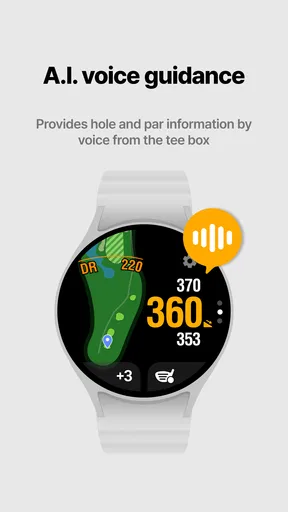
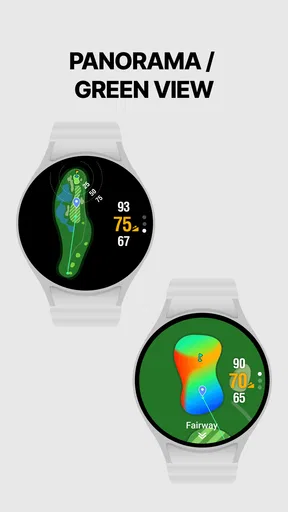
- Integrates with smartwatches seamlessly.
Cons
- Limited free features; subscription needed.
- Occasional GPS signal issues.
- High battery consumption during rounds.
- Some courses not yet mapped.
- Steep learning curve for new users.
FAQs for Smart Caddie: Golf GPS
What is Smart Caddie: Golf GPS and how does it enhance my golfing experience?
Smart Caddie: Golf GPS is an app designed to assist golfers by providing detailed information about the course. It offers features like real-time GPS tracking, course maps, and distance measurements. This app enhances your golfing experience by helping you make informed decisions, track your performance, and improve your overall game strategy.
Is Smart Caddie: Golf GPS compatible with all golf courses?
Smart Caddie: Golf GPS has an extensive database that includes thousands of golf courses worldwide. However, it's always a good idea to check if your preferred course is listed before downloading. The app continually updates its database, so if your course isn’t listed yet, it might be available soon.
Can I use Smart Caddie: Golf GPS offline?
Smart Caddie: Golf GPS primarily relies on real-time data, which requires an internet connection. However, some features may be available offline, such as pre-downloaded course maps. For the best experience, it's recommended to use the app with a stable internet connection to access all features seamlessly.
What are the key features of Smart Caddie: Golf GPS that make it stand out?
Smart Caddie: Golf GPS offers unique features like precise distance measurements, hazard alerts, and shot tracking. Additionally, it provides personalized club recommendations based on your playing style and performance data analysis. These features are designed to help golfers play smarter and improve their skills.
Is Smart Caddie: Golf GPS suitable for beginners?
Yes, Smart Caddie: Golf GPS is suitable for golfers of all levels, including beginners. The app offers intuitive features and easy navigation, making it accessible for new players. Beginners can benefit from its guidance and performance tracking to better understand the game and improve their skills over time.


